Tips for Spotting Phishing
December 3, 2025
Phishing attacks remain one of the most common and dangerous cyber threats. These deceptive emails are designed to trick recipients into revealing sensitive information, such as passwords or financial details, by posing as trusted organizations. While phishing messages often look convincing, there are tell-tale signs that can help you spot them before it’s too late. Understanding these indicators is essential for protecting your personal and professional data from falling into the wrong hands.
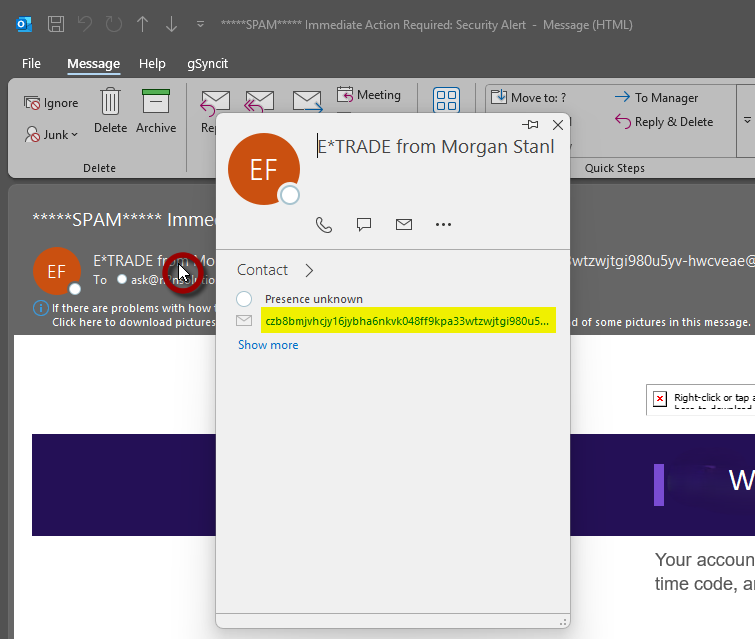
Check the sender’s email address for slight misspellings
Phishing emails often use addresses that look similar to legitimate ones but have slight changes (e.g., support@micros0ft.com instead of support@microsoft.com).
Hover over the sender name to see the actual email address.
Check for Suspicious Links
Hover over any link (without clicking) to preview the URL.
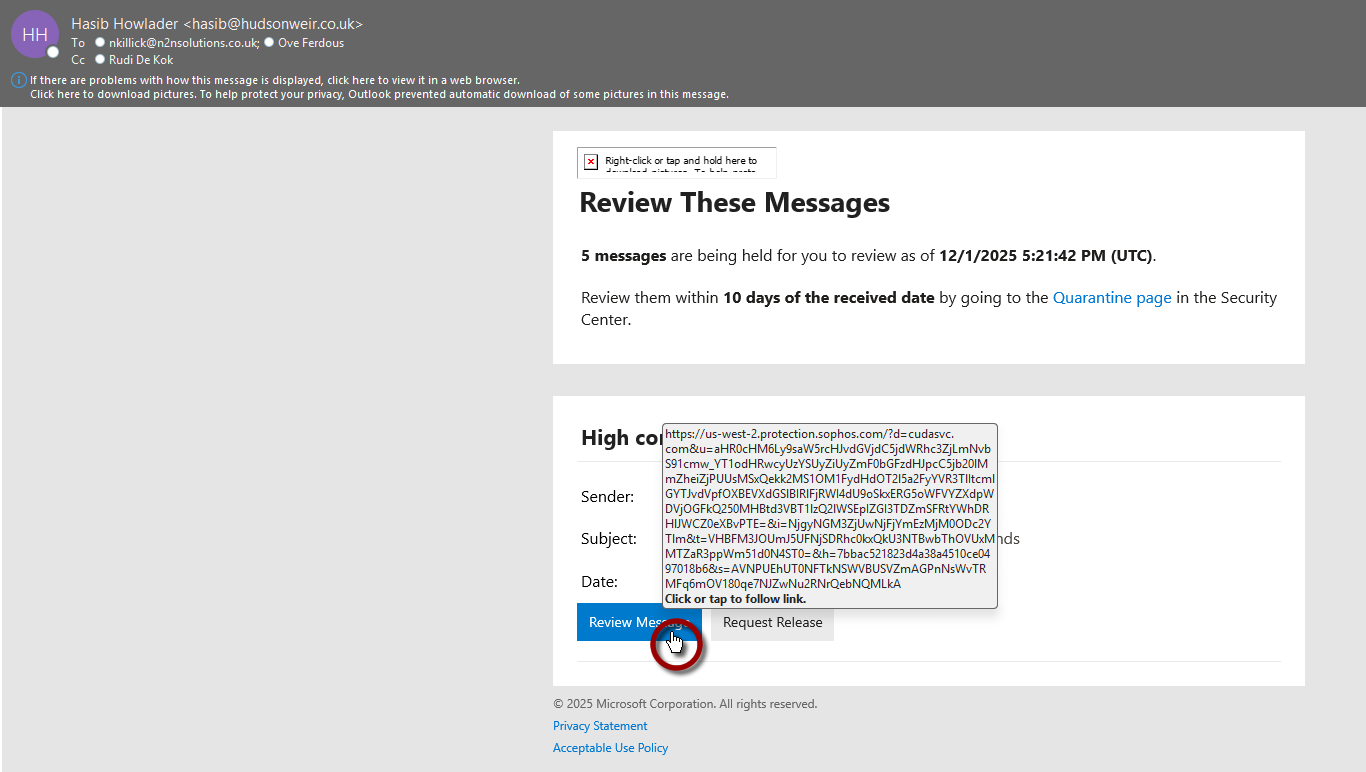
If the domain looks strange or doesn’t match the official site (e.g., login.microsoft.secure-update.com), it’s likely phishing.
Beware of Urgent or Threatening Language
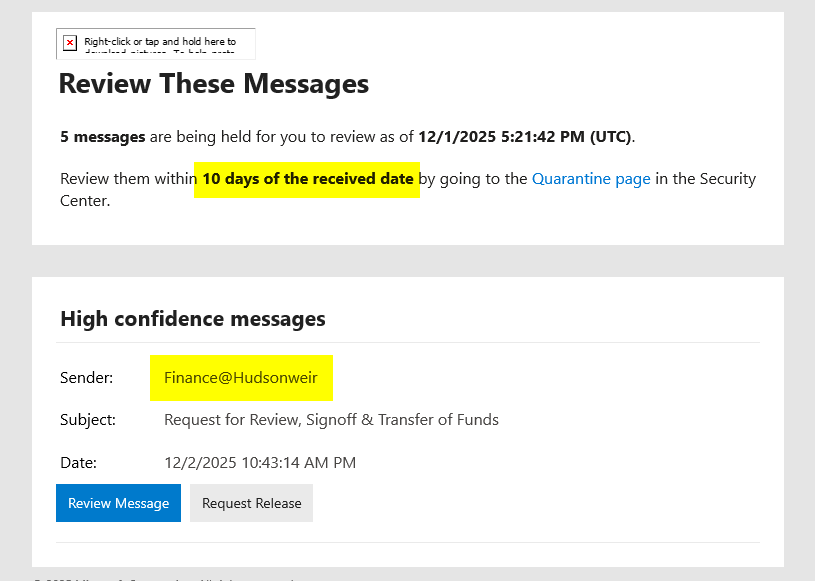
Phrases like “Your account will be suspended” or “Immediate action required” are common phishing tactics.
Legitimate companies rarely pressure you like this.
In this example, there’s a deadline of 10 days. This also says the sender was finance@hudsonweir
Check for Poor Grammar and Spelling
Many phishing emails have noticeable mistakes or awkward phrasing.
That said, with the growth of AI, this is less of the issue.
Verify Attachments
Avoid opening unexpected attachments, especially .exe, .zip, or macro-enabled files
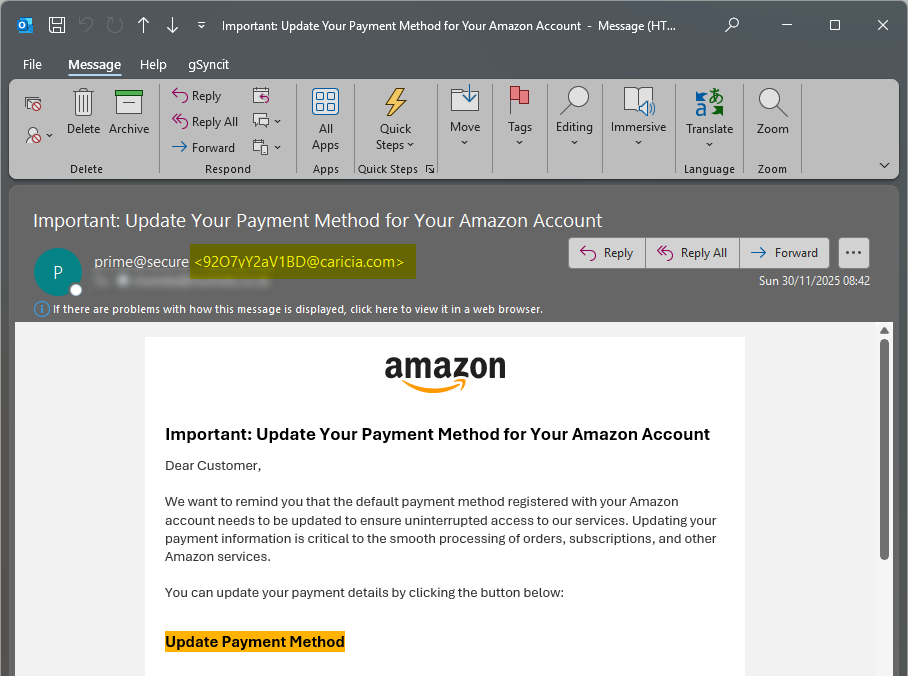
Look for Mismatched Display Names
Sometimes the display name looks familiar, but the email address is unrelated.
Again, hover over the Display Name to reveal the email address.
In this examples from “Amazon”, it’s clear that the email address has nothing to do with Amazon.
Got a question?